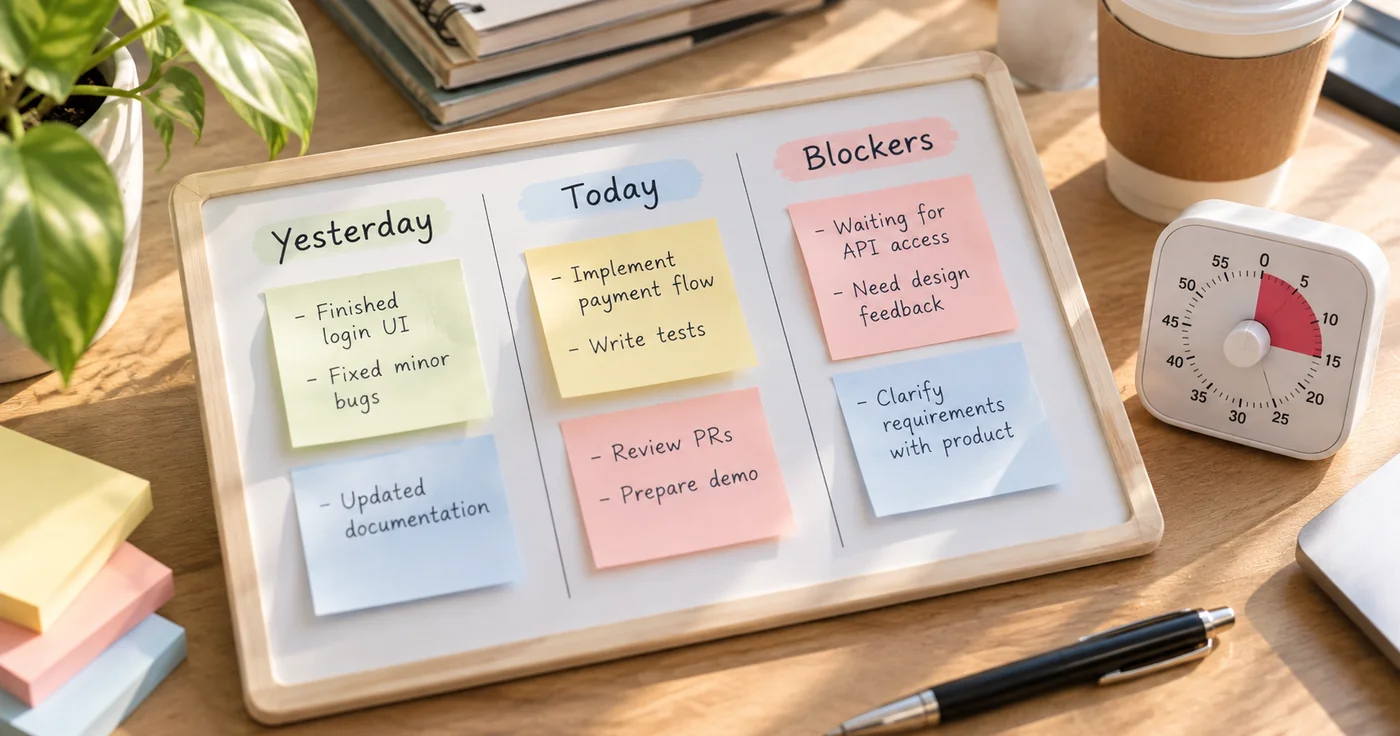
A daily standup meeting template keeps a short team check-in focused on yesterday’s progress, today’s work, and anything blocking the next step. Copy the format below, add only the context teammates need, and move detailed problem-solving into a separate follow-up.
Copyable Daily Standup Meeting Template
DAILY STANDUP
Date:
Team or project:
Facilitator:

For each person:
- Yesterday: What moved forward or was completed?
- Today: What is the next concrete task or outcome?
- Blockers: What is preventing progress or needs another person’s help?

Team follow-ups:
- Blocker or decision:
- Owner:
- Next action:
- Check-back date or time:
The first three prompts are the update; the final section is for follow-through. Do not turn every answer into a task. Capture a follow-up only when someone has agreed to take a concrete action.
How to Keep the Check-In Useful
1. Ask for a concrete update
Replace vague statements with a deliverable or observable change. “Worked on the dashboard” gives the team little to act on. “Finished the filter controls; the export still needs a review” tells colleagues what changed and where help may be needed.
2. Keep each update brief
Use one or two sentences per prompt as a starting point. If a topic needs troubleshooting, debate, or a decision from several people, record the issue and arrange a separate conversation with the people who can resolve it. The standup should surface coordination needs, not require the whole team to solve every one.
3. Turn blockers into owned follow-ups
Write a blocker as a specific obstacle, then identify the next action and one owner. “Waiting on approval” is a status. “Morgan will ask the reviewer for an approval time by noon” is a follow-up. If nobody knows the right action yet, record who will find out and when the team will check again.
4. Close by confirming what changed
Before ending, read back the follow-ups and check that each has an owner and a time to revisit. Keep the note to the essentials: updates, decisions if any, and the next action. A transcript-like record makes the important signals harder to find.
Filled Example
DAILY STANDUP
Date: Tuesday
Team or project: Help center refresh

Riley
- Yesterday: Drafted the article outline and checked the support-ticket themes.
- Today: Write the first two sections and send them for review.
- Blockers: Needs the product wording for the new settings screen.

Sam
- Yesterday: Reviewed the navigation labels and flagged two unclear items.
- Today: Confirm the final labels with design.
- Blockers: None.

Team follow-ups:
- Blocker: Product wording for the settings screen.
- Owner: Jordan
- Next action: Ask the product owner for the approved wording.
- Check-back: Before tomorrow’s check-in.
The example separates each person’s work from the team’s shared follow-up. If a blocker has no immediate owner, assign someone to clarify the next step rather than leaving it as an open-ended concern.
When to Use an Asynchronous Update
If people work different hours or the only purpose is to share status, the same prompts can be answered in a shared team channel or document before a live meeting. Reserve live time for coordination that benefits from discussion. For a broader record of decisions and action items, see this meeting-notes guide. For reusable daily and meeting layouts, see work notes templates.
Conclusion
Use the smallest daily standup meeting template that makes progress, next work, and blockers easy to scan. Try it for a few check-ins, then remove fields the team does not use and keep follow-ups only when an owner and next step are clear.