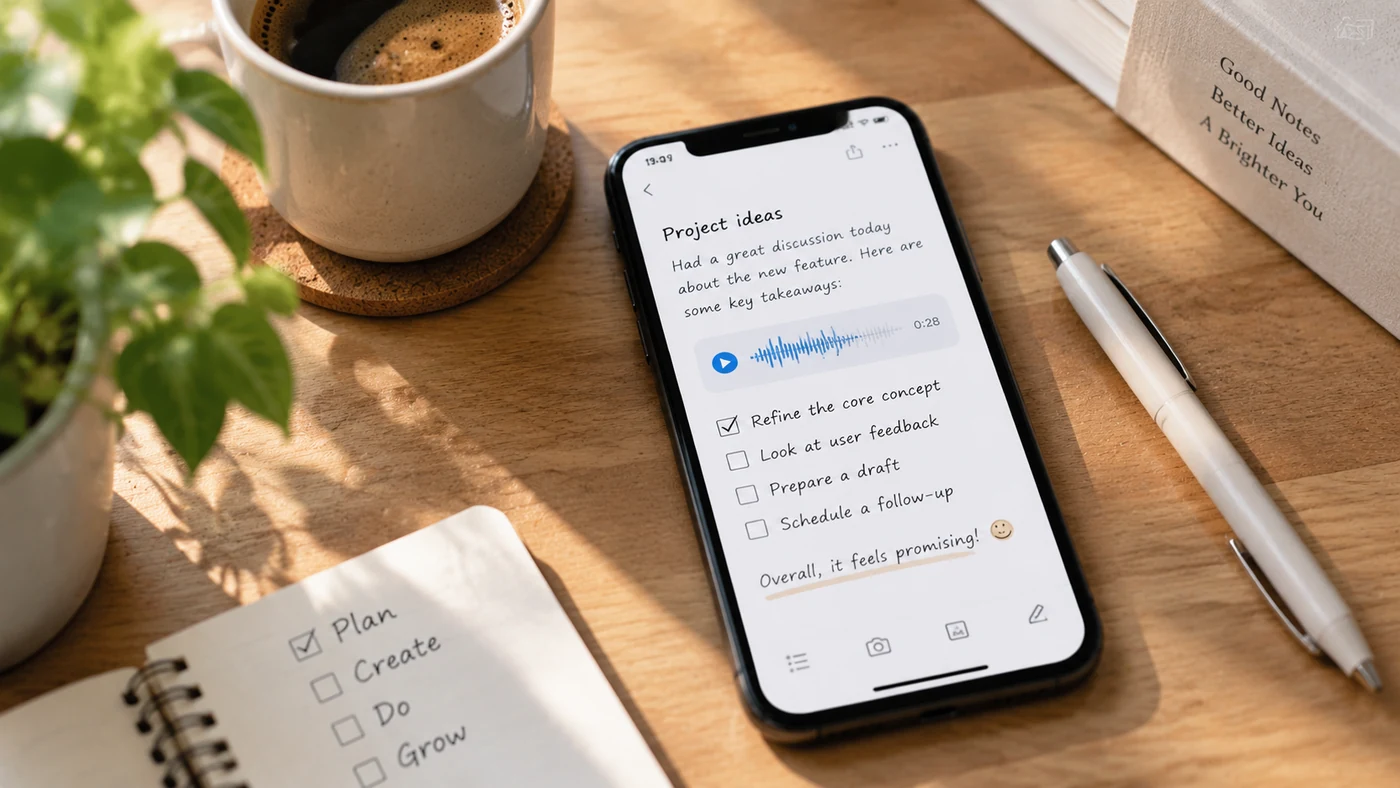
The best note-taking apps with voice memos let you record audio right inside a note, so a thought, lecture, or meeting stays attached to the text, checklist, or image around it. This guide compares how leading note apps handle in-note voice capture and helps you choose one without drifting into standalone recorders or transcription tools.
What "voice memos in a note app" means
A voice memo app is a standalone recorder: you press record, get an audio file, and manage it separately. A note app with voice capture keeps the audio inside a note you can organize with text, checklists, images, and handwriting. The audio and the context stay together, which is what makes it useful for study, work, and daily notes.
This page compares note apps that capture voice. It is not a ranking of transcription services or dedicated recording hardware, and it does not rate how accurately any app turns speech into text. For a broader comparison of note apps that goes beyond voice capture, see Best Note-Taking Apps.
Note apps that capture voice inside your notes
| App | In-note recording | How audio fits your notes | Sync | Platforms |
|---|---|---|---|---|
| OneNote | Records audio or video notes; the clip stays in your notebook [1] | Embedded on the page with your text and drawings | Cross-device through Microsoft 365 | Windows, Mac, iOS, Android, web |
| Notability | Records audio inside a note, with an optional AI summary [2] | Tied to the note you are writing | iCloud-based across its supported devices | iOS, macOS (primary) |
| GoodNotes | Captures audio as a note input alongside handwriting, text, and images [3] | Part of the page content | Across tablet, phone, and laptop | iOS, Android, Windows, Mac |
| EasyNotes | Captures voice as part of a quick note [4] | Organized with text, checklists, images, and handwriting | Cloud sync across devices | Mobile and desktop |
Each app handles audio differently, so verify the current recording, storage, and sync behavior for the version you plan to use rather than assuming they work the same way.
How to choose by what you need
- Handwritten notes plus audio: If you take notes by hand and want the recording attached, Notability and GoodNotes are built around that workflow.
- Free-form notebooks across devices: If you want audio inside a flexible notebook that follows you everywhere, OneNote keeps clips in the page and syncs through Microsoft 365.
- Quick voice capture organized with other note types: If you want to record a thought and sort it with text, checklists, images, and handwriting, capture voice as part of the note rather than as a separate file. To turn a captured voice idea into a short written memo afterward, see How to Write a Memo and Quick Notes.
- Avoid the transcription trap: Do not pick based on speech-to-text accuracy alone. This page is about capture and organization, not about which app transcribes best.
Once you've chosen an app, see How to Take Voice & Photo Notes for the everyday workflow of capturing voice and photos inside your notes.
Privacy and consent when recording others
Whenever you record a person — an interview, a lecture with others present, or a meeting — tell participants what is being recorded and follow your organization's, school's, and local consent and privacy rules. Audio captured for your own reference is different from audio shared with or about other people.
Frequently asked questions
Which note apps let you record audio inside a note?
OneNote, Notability, and GoodNotes all support recording or capturing audio within a note, and the app shown in the table above does as well. The exact steps and limits vary by app and platform, so check the current help pages for the version you use. \[1\]\[2\]\[3\]\[4]
Do voice notes sync across devices?
It depends on the app's sync model. OneNote and the cloud-synced app in the table sync voice notes across devices through their cloud accounts; Notability and GoodNotes sync within their own ecosystems. Confirm cross-device behavior before relying on it for important recordings.
Is recording audio in a note app free?
Free availability varies by app and plan. Some offer audio in a free tier with limits, while others place it behind a subscription. Check each app's current free tier rather than assuming voice capture is included everywhere.
How is this different from a voice memo app?
A voice memo app gives you a standalone recording to manage on its own. A note app with voice capture keeps the audio inside an organized note, so the recording stays with the text, checklist, or image it belongs to.
Conclusion
The right note app with voice memos is the one that keeps audio attached to the notes around it. OneNote, Notability, and GoodNotes each embed recording in a different workflow, so choose by how you already take notes and verify the current sync and storage details for the version you use. That keeps you focused on capture and organization instead of drifting into standalone recorders or transcription-tool comparisons.