The best note-taking app for students is the one you can keep using from the first class to final exams. That usually means it fits your devices, works with the way you learn, and makes your notes easier to find when you need them—not simply the app with the most features.
Before you compare apps, decide what your notes need to do. Are you writing by hand on a tablet? Reading and marking up PDFs? Keeping simple class summaries across a phone and laptop? Recording a quick voice reminder after a lecture? Your answer should narrow the field.
Start With Your Devices and Course Materials
Your device setup affects almost every part of note-taking. A handwriting-first workflow may work best on a tablet and stylus. A reading-heavy course may need a reliable PDF workflow. A student who moves between a laptop, phone, and tablet should check exactly how notes sync and what is available offline.
Use these questions to filter options:
- Which devices do you use every day?
- Do you need typed notes, handwriting, or both?
- Are PDFs, slides, and images central to your courses?
- Do you need access without an internet connection?
- Can you find one note quickly during revision?
- Are you comfortable with the free tier, or do you need a predictable student budget?
Microsoft describes OneNote as a digital note-taking tool for education and provides a useful example of why students should verify cross-device access, handwriting, organization, and education-focused workflows from official product information rather than assumptions. [1]
Choose the Note Style You Will Actually Use
Typed notes
Typed notes work well when you need speed, headings, checklists, and search. They are often a practical choice for lecture summaries, reading notes, project plans, and exam review sheets.
Handwritten notes
Handwriting can be useful for formulas, diagrams, language characters, and visual thinking. Before choosing an app for handwritten work, verify stylus support, page organization, search behavior, export options, and whether the experience matches your device.
Mixed-media notes
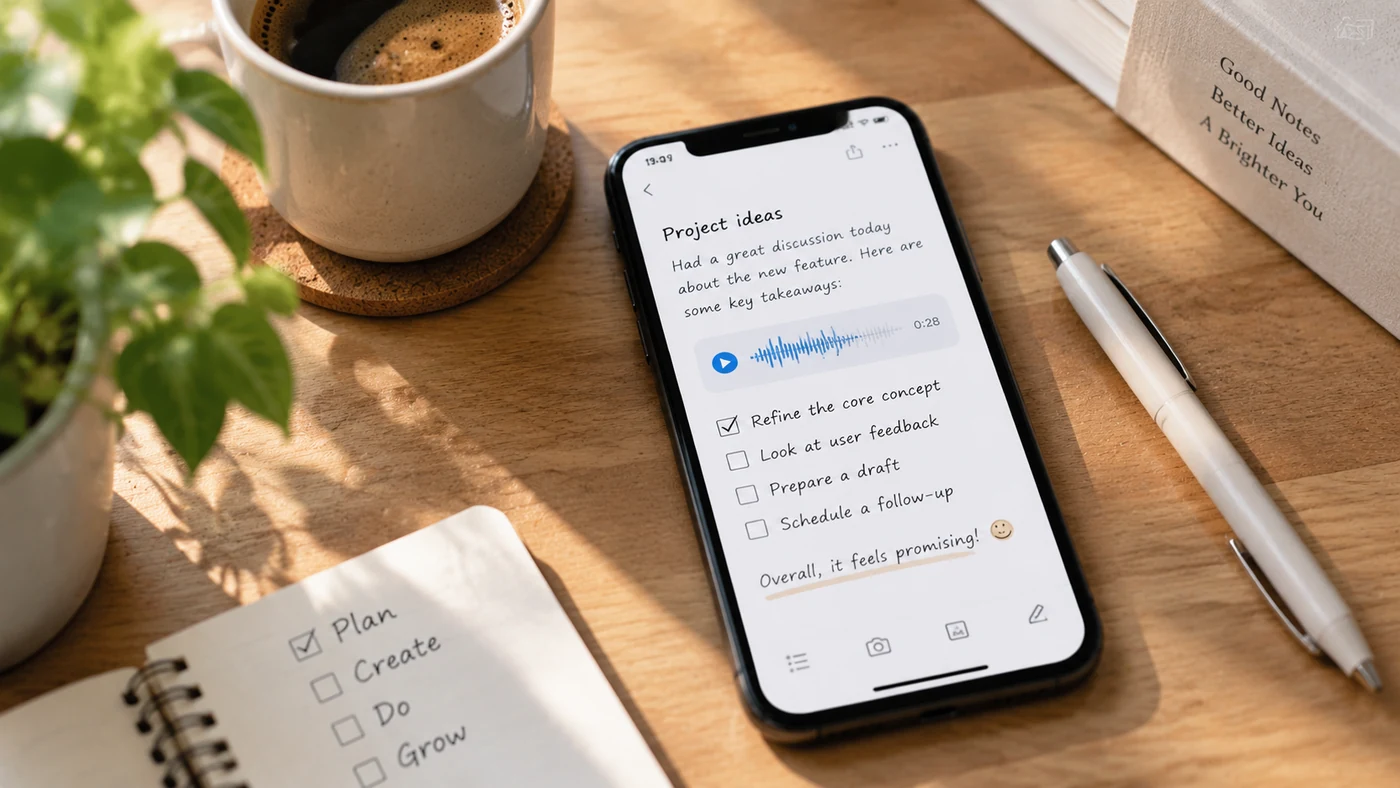
Many students need more than text. You may want a photo of a whiteboard, a scanned diagram, a checklist for an assignment, or a short voice reminder to revisit a topic. The right app should make that mix easy to organize rather than leaving material scattered across different places.
Make PDF and Reading Work Part of the Decision
If you spend hours reading course packs, papers, or slides, do not choose a note app without checking its actual PDF workflow. Confirm whether you can import a file, annotate it, organize it by class, find it later, and export your reviewed notes when needed.
Avoid treating highlights as finished study notes. A better process is to turn each important passage into a short explanation, question, example, or connection in your own words. Microsoft’s product information can help you verify a candidate’s documented note-taking and organization capabilities, but your own study method still matters. [2]
Compare Budget and Free Limits Honestly
“Free” can mean several different things: a permanently free core tool, a limited free tier, a trial, a system-provided app, or a student offer that requires eligibility. Compare the exact limits that affect your workflow:
- number of notebooks, notes, files, or devices;
- storage limits and sync limits;
- handwriting and PDF features;
- export options;
- ads or upgrade prompts;
- student verification requirements; and
- what happens to your notes if you stop paying.
MISSING INPUT: Current official price and free-tier pages for final candidates were not supplied. Do not add dollar amounts, “free forever” claims, or student-discount claims until those pages are provided and checked.
Keep Organization Simple Enough for Exam Season
A good organization system helps you retrieve material without spending hours maintaining it. Start with a category or notebook per course. Then use a small set of consistent labels, such as the unit name, exam, assignment, reading, or question. Look for a tool that can keep the note types you actually use together and make them easy to search later.
Use Reminders for Review, Not Just Deadlines
Your note app can support a review habit when you use reminders deliberately. Instead of setting one vague reminder for “study,” create a note for a specific topic and schedule a follow-up after the lecture, later that week, or before an exam. Use focused prompts such as “Check Unit 3 terms” or “Rewrite chemistry lab notes,” rather than treating a note reminder as a full calendar system.
FAQ
What is the best note-taking app for college students?
Choose based on the devices you already own, whether you need handwriting or PDFs, how you organize courses, your budget, and how easily you can search your notes before exams. The best fit for a tablet-based engineering student may be different from the best fit for a laptop-first history student.
Is GoodNotes or Notability better?
MISSING INPUT: No current official feature, pricing, platform, or privacy documentation for GoodNotes and Notability was supplied. Do not publish a winner or comparison claim until both products have been checked against the same criteria.
Conclusion: Pick the App You Will Still Use Before Finals
The best note-taking app for students fits your devices, course materials, budget, and revision habits. Test your likely workflow with one real class: capture a lecture, organize the note, find it again, and turn it into a review task. If the process feels heavy in week one, it will not improve during exam season.
If you need one place for text, checklists, images, voice notes, and handwriting, EasyNotes can be a natural fit for personal course organization. Use categories and tags to keep classes separate, cloud sync and full-text search to retrieve notes, locks for sensitive material, and note-level reminders for review. It should not be presented as a template library or shared classroom editing workspace.